If you’re a solopreneur, you’re not just the CEO—you’re also the marketer, designer, customer support, accountant, and content creator.
It’s exciting… and at the same time – exhausting!
Some days feel like a rollercoaster of unfinished to-do lists, half-written emails (I still have 10+ mail drafts), and back-to-back context switching. And with no team to delegate to, staying productive feels like trying to run a marathon on a treadmill set to sprint.
That’s why these 10 productivity Tips for solopreneurs aren’t just helpful—they’re survival tools. Building a coaching business? Running a Shopify store? Or launching a SaaS product solo?, These hacks are designed to save you time, energy, and sanity(phewww).
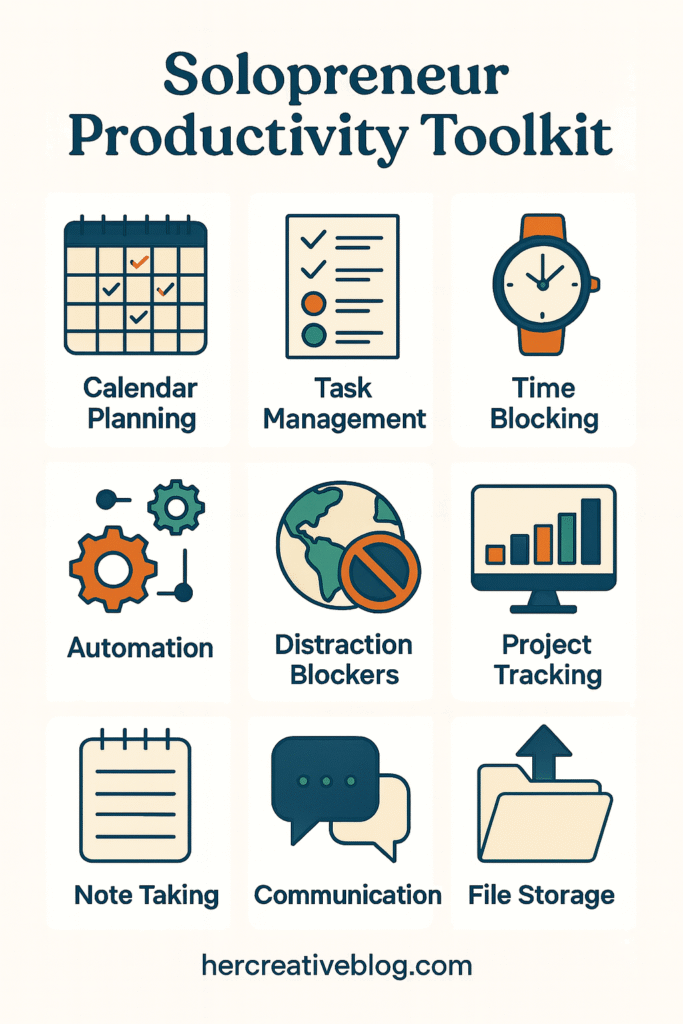
Let’s find out how to stop spinning in circles and finally move the needle forward—without burning out(definitely).
1. Time Blocking Like It’s Your Business (Because It Is)
Time blocking isn’t a fancy calendar trick—it’s how you create boundaries when no one else will.
Break your day into dedicated chunks: deep work in the morning, admin in the afternoon, creative tasks after lunch. Assign tasks to blocks and protect them like gold.
Why it works: Multitasking kills focus. Time blocking helps your brain stay in one mode at a time.
How to start:
Use Google Calendar to block tasks.
Color code by task type.
Don’t forget to block breaks too—you’re not a robot.
Repeat this weekly to stay in control of your schedule.
2. Follow the “One Hat at a Time” Rule
You’re wearing all the hats. But don’t stack them on your head at once.
Switching from designing your website to answering customer emails to updating QuickBooks in one sitting is a productivity killer.
Try this instead:
Group similar tasks together into themes.
Assign them to specific days: “Marketing Monday,” “Finance Friday,” etc.
Use tools like Trello or ClickUp to keep lists organized by category.
You’ll get more done when your brain doesn’t need to keep switching gears every five minutes.
3. Automate Anything That Feels Repetitive
If you’re manually sending welcome emails, generating invoices, or posting every piece of content by hand, you’re wasting precious brainpower.
Let automation work for you:
You can use Zaiper to connect apps and trigger workflows.
Set up automatic invoicing with tools like FreshBooks or HoneyBook.
Schedule social media posts with Buffer or Later.
Schedule social media posts with Buffer, Later, or directly via Canva’s content planner.
Canva Pro users can access their Content Planner tool, which lets you schedule Instagram, Facebook, Pinterest, and LinkedIn posts right from your design workspace. It’s a game-changer for visual-first solopreneurs like creators, coaches, and designers.
Pro Tip: Start with one automation per week. You’ll be shocked how much time it frees up.
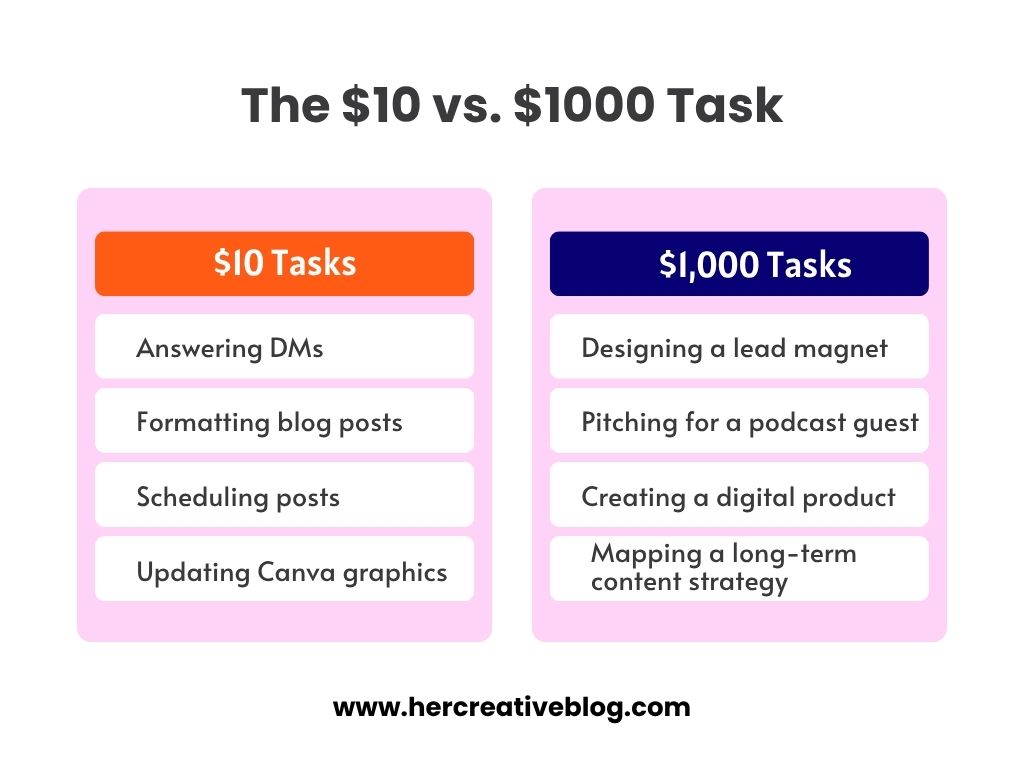
4. Prioritize Tasks Using the “$10 vs. $1000” Filter
Not all tasks deserve equal attention.
Ask yourself: “Is this a $10 task or a $1,000 task?”
Answering comments on Instagram? Maybe $10.
Creating a product that could generate recurring revenue? Definitely $1,000.
Focus on high-leverage activities:
Revenue-generating tasks (launches, outreach, client work)
Scalable systems (templates, funnels)
Long-term growth (SEO, partnerships)
You can always outsource the $10 tasks later. For now, don’t let them steal your focus.
5. Build Your Personal SOP Library
You are your own employee. So why not onboard yourself?
A personal SOP (Standard Operating Procedure) is a step-by-step guide for recurring tasks. This sounds corporate, but it’s life-changing.
How to start:
Write out the steps for tasks you do weekly (e.g., writing blog posts, onboarding a client).
Store them in Notion or Google Docs.
Next time, follow the checklist instead of reinventing the wheel.
Bonus: When you hire a VA or freelancer later, you already have training ready.
6. Use “The Power Hour” to Slay Procrastination
According to a study, most people experience a dip in energy between 1–3 PM. Power Hour can help convert that slump into a productivity win.
Some tasks aren’t hard—they’re just annoying. You keep putting them off. They sit on your list and suck your energy.
Enter: the Power Hour.
Set a timer for 60 minutes. Tackle all the little things—replying to DMs, scheduling emails, checking analytics.
Why it works: You’re giving those tasks a home. They stop living rent-free in your brain.
Power Hour is perfect for Fridays or any low-energy day when deep work feels impossible.
7. Create a “Not Right Now” Parking Lot
Solopreneurs are idea machines. You get a business idea while brushing your teeth. A new content format pops into your head during a client call.
The result? You chase shiny objects and get nothing done.
Solution: Create a “Not Right Now” list in Notion, Google Keep, or a paper notebook.
When inspiration hits, jot it down—but don’t act on it yet. Review this list monthly to see what still feels relevant.
This protects your focus while honoring your creativity.
8. Design a Workspace That Works for Your Brain
You don’t need an expensive standing desk to be productive—but your environment matters.
If your desk is cluttered or you’re working from your bed, your brain is in chaos.
Fix it:
Keep your workspace minimal—only what you need.
Use noise-canceling headphones or ambient playlists.
Add one object that brings you joy—like a plant, photo, or funny mug.
A calm workspace = fewer distractions = more done.
9. Set Weekly CEO Meetings (Yes, With Yourself)
This one is a game-changer.
Every Sunday or Monday morning, schedule a 30-minute meeting with your “CEO self.” You’re the boss, remember?
In this meeting:
Review what worked last week.
Decide your 1–3 priorities for the week.
Schedule blocks for those priorities in your calendar.
Think of this as your chance to get out of “reactive mode” and into “intentional mode.”
This is where strategy replaces chaos.
10. Choose One Tool and Master It
You don’t need 14 productivity tools. You need one that you actually use.
Some great options for solopreneurs:
Notion: Great for organizing everything in one space.
ClickUp: Ideal if you want robust project management.
Toggl: For time tracking and seeing where your hours really go.
Pick one. Learn it inside-out. Customize it for your needs. Let it become your second brain.
Spending less time figuring out tools = more time actually using them to get things done.
Sharing one more read in productivity → 8 Best Productivity Apps for Students to Study Smart
You Don’t Have to Hustle Harder. Just Smarter.
You started your business for freedom—not to be chained to a laptop 12 hours a day.
Productivity for solopreneurs isn’t about doing more. It’s about doing what matters, better. With fewer distractions. With systems that work for you, not against you.
And the beauty of being a solopreneur? You can change your systems whenever you want. If something’s not working—ditch it.
You’re the boss. You make the rules.
Let these hacks be your foundation. Test them, tweak them, and build a workflow that feels good to you.
YOU GOT THIS!
If this helped, share it with another solopreneur who’s juggling all the things. Or better—bookmark it for your next CEO meeting.
Looking for more resources like templates, checklists, and productivity systems? Stay tuned—something exciting is brewing 👀
Frequently Asked Questions
Q1: What are the best productivity tools for solopreneurs?
→ Some of the most popular tools include:
Notion for all-in-one notes and task management
Canva Pro for content creation and scheduling
Toggl for time tracking
Zapier for automation
Google Calendar for time blocking
Choose one tool per need and stick to it—don’t overcomplicate your stack.
Q2: How many hours should a solopreneur work per day?
→ There’s no one-size-fits-all, but most solo business owners find 4–6 focused hours of deep work is more productive than 10 scattered hours. Time blocking and weekly planning help make the most of your time.
Q3: What’s one tip to avoid burnout?
→ Treat yourself like an employee. That means scheduled breaks, clear boundaries, and an actual end to your workday. Power Hour, CEO check-ins, and “Not Right Now” lists can also help manage mental clutter.
Q4: Is multitasking ever okay?
→ In short, no. Multitasking makes you slower and less accurate. Batch similar tasks instead. For example, dedicate one block of time to answering emails instead of responding to them throughout the day.
📌 Save for later